
Understanding IPTV M3U Playlists & EPG XML Guides
Behind every seamless IPTV broadcast lies a pair of critical data protocols: the M3U playlist and the EPG (Electronic Program Guide) XML file. Understanding how these two technologies communicate allows subscribers to customize channel lineups, troubleshoot playback hiccups, and unlock the full potential of CalmaHUB IPTV's 35.000+ live channels and 142.000+ on-demand library. This comprehensive guide demystifies M3U links, M3U8 streams, Xtream Codes API architecture, and XMLTV program schedules.
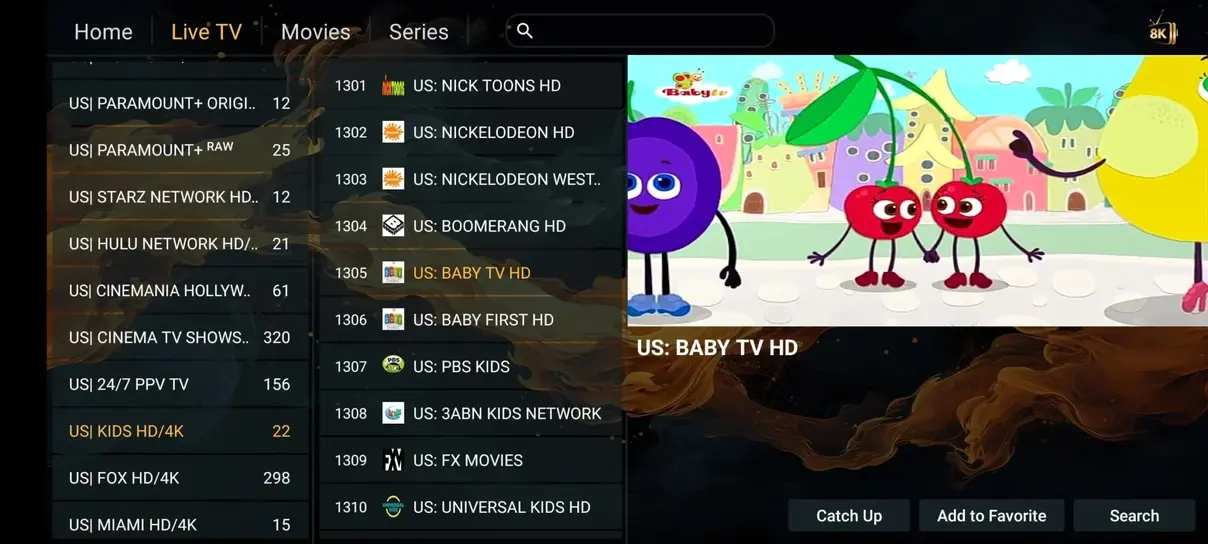
Core Takeaway: While raw M3U URLs are universally supported, using Xtream Codes API (server URL + username + password) is faster, cleaner, and automatically connects your EPG schedule and VOD movies without manual file management.
What is an M3U Playlist in IPTV?
Originally created for audio playlists in Winamp, the M3U (Moving Picture Experts Group Audio Layer 3 Uniform Resource Locator) format is a plain text file that contains an index of media URLs. In modern IPTV, an extended M3U file (often denoted as #EXTM3U) includes metadata tags that tell your player the channel name, group category, channel logo icon URL, and stream format (such as HLS .m3u8 or MPEG-TS .ts).
Anatomy of an Extended M3U Entry:
A typical channel entry inside a CalmaHUB IPTV playlist looks like this:
#EXTINF:-1 tvg-id="SkySportsMainEvent.uk" tvg-name="UK: Sky Sports Main Event 4K" tvg-logo="https://calmahub.space/logos/skysports.png" group-title="UK SPORTS",UK: Sky Sports Main Event 4K
http://line.calmahub.space:8080/live/username/password/12345.ts
When your media player parses this text, it organizes the channel into the "UK SPORTS" group, displays the official Sky Sports logo, links the channel ID to our live EPG schedule, and points to our load-balanced European streaming node.
What is an EPG (Electronic Program Guide)?
An EPG (Electronic Program Guide) provides the interactive grid that tells you what shows are currently broadcasting and what will air over the next 7 days. IPTV guides typically rely on the XMLTV standard, an XML-based file format containing chronological broadcast entries, episode synopses, actor lists, and parental ratings.
CalmaHUB IPTV generates daily XMLTV updates synchronized across GMT, CET, EST, and PST timezones, ensuring your television timetable matches your local wall-clock time accurately.
M3U URL vs. Xtream Codes API: Which Should You Use?
When you subscribe to CalmaHUB IPTV, you receive both an M3U URL and Xtream Codes API credentials. Here is how they compare:
| Feature | Xtream Codes API (Recommended) | Standard M3U URL |
|---|---|---|
| Ease of Input | Simple server address, username, password | Long, complex URL with query parameters |
| EPG Linking | Automatic (server syncs guide instantly) | Requires entering separate EPG URL |
| VOD Categories | Separated into Movies, Series, Live TV | Often merged into one giant playlist |
| Channel Updating | Refreshes dynamically on app launch | May require manual playlist re-download |
Tips for Optimal EPG Performance
- Set EPG Cache Duration: Inside your player settings (like TiviMate or HOT Player), set EPG caching to 24–48 hours to minimize startup lag.
- Use EPG Time Shift: If program times appear offset by an hour due to daylight saving adjustments, use your player's EPG Time Offset setting to adjust +1 or -1 hour.
- Refresh Playlists Weekly: While our servers update dynamically, manually clearing player cache once a week ensures newly premiered VOD titles display their poster art cleanly.
Deep Dive into XMLTV Schema & Program Metadata
The XMLTV format is an open XML specification originally conceived to represent television guide schedules in a machine-readable format. When your IPTV application downloads the CalmaHUB IPTV Electronic Program Guide, it parses two primary XML structures: <channel> definitions and <programme> broadcast blocks.
Understanding the Programme Block:
<programme start="20261113200000 +0000" stop="20261113220000 +0000" channel="SkySportsMainEvent.uk">
  <title lang="en">Premier League Live: Matchday Action</title>
  <desc lang="en">Live coverage of top-tier football from the English Premier League.</desc>
  <category lang="en">Sports</category>
</programme>
Notice the timestamp format: YYYYMMDDHHMMSS +HHMM. The +0000 tag denotes Universal Coordinated Time (UTC/GMT). If your media player's internal clock is set incorrectly or if your streaming device is configured to the wrong geographic timezone, your on-screen guide will display programs either an hour ahead or an hour behind the actual live broadcast. Verifying your device's automatic network time setting resolves this instantly.
M3U8 HLS vs. MPEG-TS: Stream Transport Protocols
When you stream from CalmaHUB IPTV, your player receives data packaged either as an MPEG-TS (.ts) continuous byte stream or an HLS (.m3u8) adaptive segment stream.
- MPEG Transport Stream (.ts): Highly efficient for live television broadcasting with ultra-low channel zapping latency. It delivers raw video frames directly to your hardware decoder with minimal transmission overhead.
- HTTP Live Streaming (.m3u8): Created by Apple, HLS chops video into short 2-to-6 second encrypted chunks. It is ideal for mobile devices and fluctuating Wi-Fi connections because the player can dynamically drop or raise visual bitrate without severing the active connection.
With Xtream Codes API on CalmaHUB IPTV, your media player automatically negotiates the optimal transport protocol based on your device profile, ensuring instantaneous channel switching and rock-solid broadcast resilience.
Automated Playlist Syncing & Xtream Codes Architecture
Behind the scenes of CalmaHUB IPTV's Xtream Codes API lies a sophisticated database synchronization architecture. When your player sends an authentication handshake, our central load balancer queries your subscriber account status, fetches the active channel catalog, and compiles a customized JSON response tailored to your device profile.
Understanding the Xtream Codes Handshake:
Unlike a static M3U file that must be downloaded in its entirety (which can take several megabytes of bandwidth for 35.000+ channels), the Xtream Codes API separates metadata requests into modular API endpoints:
/player_api.php?action=get_live_categories: Downloads only the category names and IDs, allowing your app's sidebar to render instantly in less than 200 milliseconds./player_api.php?action=get_live_streams: Ingests channel names, logos, stream IDs, and EPG mapping codes./player_api.php?action=get_vod_streams: Retrieves the movie catalog independently, ensuring on-demand titles do not clutter live channel navigation./player_api.php?action=get_series: Organizes television dramas into seasons and episodes automatically.
This modular architecture explains why entering Xtream Codes API credentials inside apps like TiviMate and HOT Player delivers a noticeably faster and more responsive experience than pasting raw M3U text links.
Best Practices for Updating Playlists on Mobile and TV
When you run CalmaHUB IPTV on portable devices like smartphones and laptops, switching between cellular data, home broadband, and public Wi-Fi can occasionally cause DNS cache mismatches. We advise subscribers to enable 'Auto-update on App Start' inside their player settings. This guarantees that whenever your media player boots, it checks our central API for any newly launched sports channels or adjusted video server IPs, keeping your television guide 100% accurate without manual intervention.
Get Your M3U & Xtream Codes Activation Now
Experience instant delivery with CalmaHUB IPTV. Our automated dispatch system sends your unique M3U playlist and Xtream Codes credentials to your email and WhatsApp in minutes.
View Subscription Pricing → Read App Setup Guide →M3U & EPG Frequently Asked Questions
This typically occurs if your player has not completed its background XMLTV sync or if your local clock is out of sync. Go to your player settings, select EPG, and click 'Update EPG data' while ensuring your device clock is set to automatic network time.
Yes! Advanced players like TiviMate, IPTV Smarters Pro, and HOT Player allow you to hide unwanted country categories or reorder groups so your favorite sports and local channels appear right at the top.