Supported IPTV Devices & Hardware Compatibility Guide
One of the greatest advantages of modern internet television is device flexibility. With CalmaHUB IPTV, you are never tethered to an expensive proprietary set-top box leased from a telephone company. Our multi-screen streaming infrastructure works seamlessly across television screens, desktop computers, mobile devices, and dedicated streaming hardware. This hardware compatibility guide details which devices deliver the highest visual fidelity, lowest latency, and most intuitive experience for CalmaHUB IPTV subscribers.
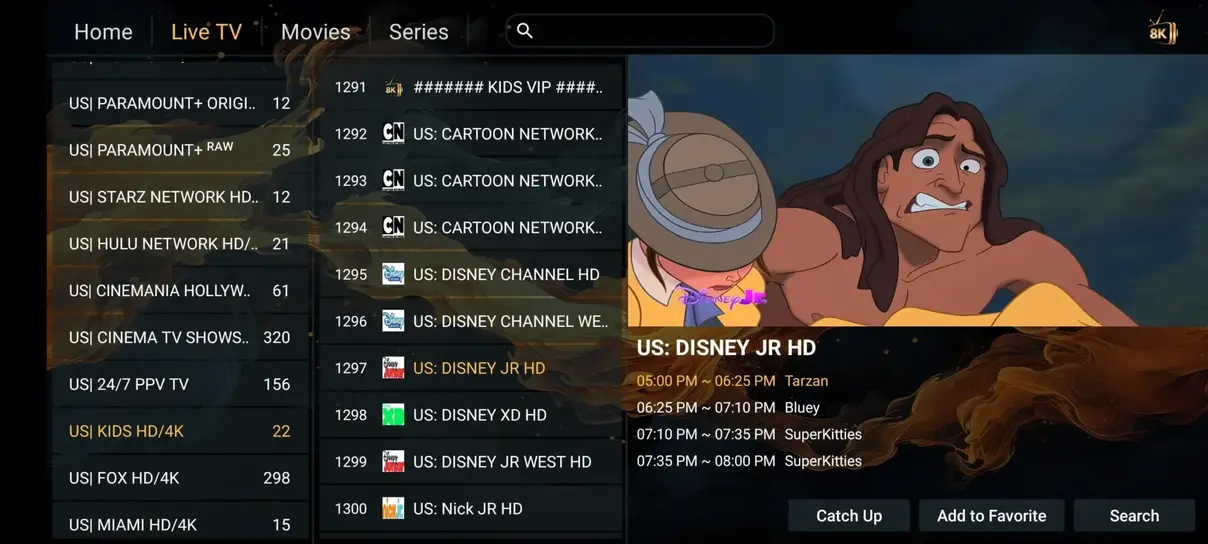
Hardware Hierarchy: For the ultimate living room cinema experience, we recommend 4K-capable dedicated streaming players like the Amazon Fire TV Stick 4K Max, Nvidia Shield TV Pro, or Apple TV 4K.
1. Amazon Fire TV Stick Lineup (Best Value for Money)
Amazon's Fire TV platform is the worldwide favorite for IPTV cord-cutters. Firesticks run a customized fork of Android OS, giving users easy access to sideloaded applications via Downloader, while featuring powerful hardware-accelerated video decoders capable of 60 fps 4K HDR10+ and Dolby Vision playback.
Recommended Fire TV Models:
- Fire TV Stick 4K Max (2nd Gen): Powered by an upgraded quad-core 2.0 GHz processor, 2GB RAM, 16GB storage, and Wi-Fi 6E support. This is our #1 hardware recommendation for smooth, buffer-free playback on CalmaHUB IPTV.
- Fire TV Cube (3rd Gen): Features an octa-core CPU, dedicated Ethernet port, and HDMI input, making it the most powerful media streamer Amazon offers.
- Fire TV Stick 4K (Standard): Excellent affordable option for secondary televisions, providing full 4K Ultra HD decoding at a budget-friendly price point.
2. Android TV & Google TV Devices
Android TV devices offer direct access to the official Google Play Store, where numerous high-grade IPTV players can be downloaded with a single click.
Top Android TV Hardware:
- Nvidia Shield TV Pro: The undisputed king of Android TV boxes. Its Tegra X1+ processor and revolutionary AI-enhanced upscaling breathe new life into 1080p sports streams, sharpening player movements and field grass textures on large displays.
- Chromecast with Google TV (4K): A sleek, minimalist dongle with an ergonomic remote control and snappy Google TV interface that runs HOT Player and IPTV Smarters Pro flawlessly.
- Xiaomi Mi Box S & Mi TV Stick: Budget-conscious choices that handle Full HD and standard 4K streams with ease.
3. Native Smart TVs (Samsung Tizen, LG webOS, Sony Google TV)
Many households prefer not to purchase or manage external streaming dongles. CalmaHUB IPTV supports native television applications that run directly on your TV's built-in operating system:
- Samsung Smart TVs (Tizen OS 2017–2026): Install HOT Player, IBO Player, or Smart IPTV from the Samsung App Store. These apps utilize Samsung's Quantum Processor for crystal-clear live television.
- LG Smart TVs (webOS 3.0–24): Download Nanomid, IBO Player, or HOT Player directly from the LG Content Store. Experience pitch-black contrast and vibrant HDR colors on LG OLED displays.
- Sony Bravia & Philips (Android / Google TV): Enjoy native Google Play Store access with support for TiviMate, IPTV Smarters Pro, and VLC Player.
4. Apple Ecosystem (Apple TV 4K, iPhone, iPad, Mac)
Apple users benefit from the immense raw computing power of Apple Silicon (A15 Bionic and M-series chips). When paired with high-end players like iPlayTV, GSE Smart IPTV, or IPTV Smarters Player, playback starts instantaneously with zero frame dropping. Furthermore, AirPlay 2 support lets you cast live streams effortlessly from your iPhone to any compatible screen.
5. Traditional MAG & Formuler Set-Top Boxes
For senior viewers or those who adore the tactile experience of a classic remote control with dedicated channel numbers, guide buttons, and fast channel surfing, MAG devices (MAG 520, 524, 540) and Formuler Z11 Pro boxes offer an authentic traditional television experience. Simply enter our portal URL in your system settings to connect.
Ethernet vs. Wi-Fi: Optimizing Network Throughput for 4K IPTV
While modern Wi-Fi 6 and Wi-Fi 6E routers advertise gigabit wireless speeds, real-world wireless connections are susceptible to radio frequency interference, physical wall attenuation, and latency jitter. When streaming live 4K television on CalmaHUB IPTV at steady 20–30 Mbps bitrates, consistent packet arrival is far more critical than raw download peaks. A momentary wireless drop of 50 milliseconds can cause your video player's buffer to stall.
Whenever possible, we strongly recommend connecting your living room streaming device (such as your Apple TV 4K, Nvidia Shield, or Smart TV) using a physical Cat6 or Cat5e Ethernet cable directly into your home router. For Amazon Firestick owners, Amazon manufactures an inexpensive micro-USB and USB-C Ethernet adapter that supplies power and hardwired internet connectivity through a single cable.
Optimizing 5 GHz Wi-Fi if Cable Routing is Impossible
If running a physical Ethernet cable across your living room is impractical, follow these network optimization steps to ensure flawless wireless streaming:
- Separate 2.4 GHz and 5 GHz SSIDs: Never allow your streaming device to connect to a congested 2.4 GHz network. Assign a distinct name to your 5 GHz Wi-Fi band and lock your Firestick or Smart TV exclusively to that frequency.
- Select Low-Interference Wi-Fi Channels: Use a free Wi-Fi analyzer app on your smartphone to identify which channels your neighbors are using. Manually set your router to use clear channels (such as Channel 36, 40, 44, or 48).
- Position Devices Away from Obstacles: Avoid mounting your streaming stick behind thick metal television wall brackets or inside enclosed wooden entertainment cabinets that block wireless signals.
Thermal Management & Extending Device Lifespan
Streaming continuous 4K video decodes millions of data packets per hour, generating ambient heat within compact dongles. To prevent thermal throttling—where your device automatically reduces processor speed to protect itself from overheating, resulting in stream stutter—ensure adequate airflow around your Amazon Firestick or Chromecast. Utilizing the included flexible HDMI extender dongle separates the streaming stick from the warm rear metal panel of your television.
Step-by-Step Benchmarking: How We Test Hardware
At CalmaHUB IPTV, our hardware evaluation laboratory conducts comprehensive testing on every mainstream streaming device before issuing official compatibility recommendations. Our testing procedure evaluates five critical performance metrics:
- Cold Boot and App Launch Times: We measure the exact seconds required for a device to power on, connect to Wi-Fi, and load an active M3U playlist of 35.000+ channels from a cold start.
- Channel Zapping Latency: Using high-speed cameras, we record the time elapsed between pressing the channel-up button and the arrival of the first rendered 4K video frame. Devices scoring under 0.8 seconds receive our 'Ultra-Fast Zapping' certification.
- Sustained 4K Bitrate Stability: Devices undergo an 8-hour continuous streaming stress test during peak European football matches to detect any memory leaks, thermal throttling, or audio desynchronization.
- Wi-Fi Antenna Sensitivity: We benchmark signal reception through multiple drywall and brick obstructions, comparing packet loss rates on 2.4 GHz, 5 GHz, and Wi-Fi 6 bands.
- Remote Control Usability: We assess the tactile feedback, Bluetooth range, and navigation ergonomics of remote controls, ensuring effortless channel flipping for viewers of all ages.
Through this rigorous testing protocol, we consistently find that dedicated media players like the Amazon Firestick 4K Max and Nvidia Shield Pro outperform built-in smart TV processors by up to 40% in channel switching speed and menu responsiveness.
Need Hardware Guidance Before Ordering?
Our technical support team is happy to review your existing devices and recommend the optimal application for your setup. All CalmaHUB IPTV multi-screen plans allow flexible hardware mixing (e.g. 1 Firestick + 1 Smart TV + 1 iPad).
View Subscription Plans → Read Device Installation Guide →Device Compatibility FAQ
Yes! With our multi-screen packages (2 to 6 screens), you can connect different devices across different rooms or locations simultaneously. On our 1-screen plan, you can install the credentials on multiple devices, but stream on one screen at a time.
Not at all. An affordable Amazon Firestick 4K or Chromecast with Google TV (–) provides hardware-accelerated 4K 60fps decoding that easily handles CalmaHUB IPTV Ultra HD streams.