
Best IPTV Apps for Streaming in 2026 — Complete Player Guide
Finding the right IPTV player application can transform your everyday television experience from frustrating to pure delight. While CalmaHUB IPTV provides high-performance streaming servers, over 35.000+ live television channels, and 142.000+ movies on-demand, the media player software installed on your hardware acts as your primary navigation dashboard. In this detailed guide, our engineering team breaks down the absolute best IPTV apps available for Smart TVs, Firestick, Android TV, and Apple devices in 2026.
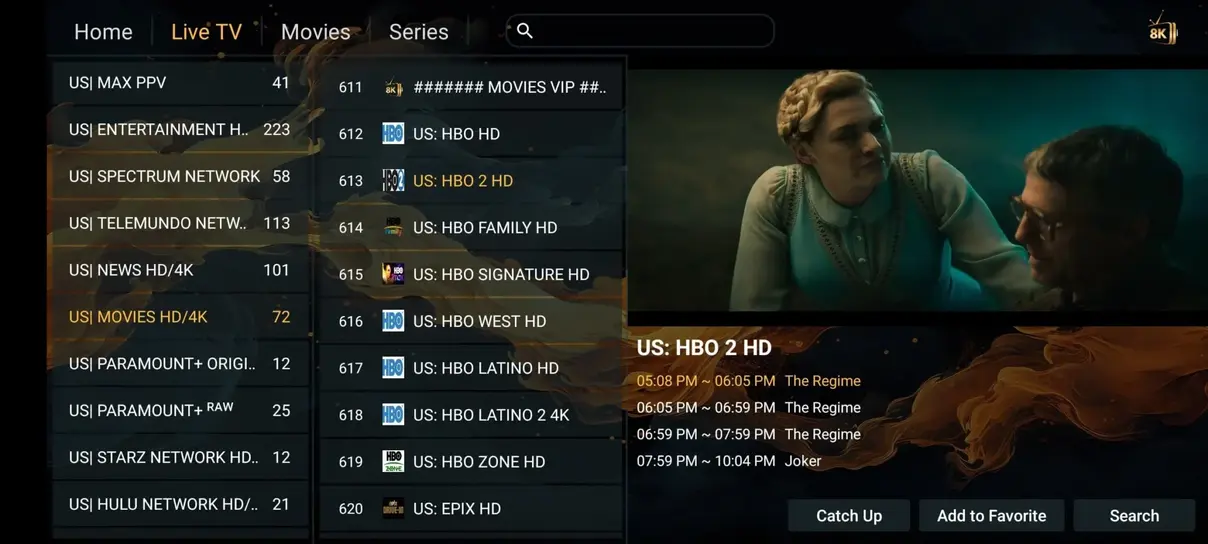
Quick Summary: For pure speed and modern ergonomics on Firestick and Android, TiviMate and HOT Player remain our top picks. For universal compatibility across Samsung, LG, and Apple, IPTV Smarters Pro and IBO Player deliver unrivaled reliability.
What Makes a Great IPTV Player Application?
Not all streaming apps are engineered equally. Some budget media players suffer from sluggish channel zapping delays, poor memory cache management leading to artificial stream stutter, or incomplete Electronic Program Guide (EPG) parsing. When evaluating applications to pair with your CalmaHUB IPTV subscription, look for these four core performance indicators:
- Hardware Decoding Support: Support for modern video codecs like H.264, HEVC (H.265), and AV1 with native GPU acceleration to prevent device overheating.
- XMLTV EPG Synchronization: Capability to ingest rich Electronic Program Guide data, channel logos, and show synopses without slowing down system navigation.
- Multi-Screen & Catch-Up Support: Fluid integration with server-side 7-day TV replay archives and the ability to tile multiple live video streams on one display.
- Xtream Codes API Integration: Direct authentication using server URL, username, and password rather than having to type unwieldy 100-character M3U strings.
1. TiviMate IPTV Player (The Gold Standard for Android & Firestick)
Widely considered by enthusiasts to be the benchmark against which all other players are measured, TiviMate offers a television-first user interface that mirrors high-end satellite receivers. Its multi-screen grid guide, rapid channel preview mode, and customizable channel sorting make it an absolute joy to use on Amazon Firestick 4K and Nvidia Shield Pro.
Key Advantages of TiviMate:
- Ultra-fast channel switching (under 0.5 seconds).
- Customizable multi-view mode supporting up to 9 live streams on capable hardware.
- Automatic EPG schedule refreshing and manual time-shift offsets for international viewers.
- Comprehensive recording support to local network attached storage (NAS) or USB flash drives.
2. HOT Player (Fast, Lightweight, and Multi-Platform)
HOT Player is our officially recommended plug-and-play application for viewers who value effortless setup. Available across Samsung Tizen, LG webOS, Android, and Fire TV, HOT Player requires zero complex manual configuration. Simply input the activation details sent in your CalmaHUB IPTV subscription email and start watching immediately.
Key Advantages of HOT Player:
- Native app available in official Samsung and LG TV stores.
- Cloud-synchronized playlist management via device MAC address.
- Clean, clutter-free category navigation for movies, live sports, and series.
- Minimal system memory footprint, ensuring older television models run smoothly.
3. IPTV Smarters Pro (The Universal Household Classic)
IPTV Smarters Pro is one of the most widely downloaded streaming applications in the world. Its clean dashboard cleanly separates Live TV, Movies, and Series into dedicated visual cards. It supports parental control locking, external video player integration (such as VLC or MX Player), and multi-user profile switching.
Whether you are running an Android smartphone, an iPad, a Windows laptop, or an Amazon Firestick, IPTV Smarters Pro delivers a dependable, familiar interface for the whole family.
4. IBO Player & Nanomid Player for Smart TVs
If you own an LG OLED or a Samsung Neo QLED television and prefer not to attach an external streaming dongle, IBO Player and Nanomid represent exceptional webOS and Tizen solutions. Both applications can be downloaded directly from your TV's built-in app store and feature hardware-accelerated 4K video decoders that preserve deep HDR black levels and smooth 60 fps motion for live sports.
How to Pair Your Chosen App with CalmaHUB IPTV
Connecting any of these players to CalmaHUB IPTV takes less than three minutes:
- Install your preferred app from the official application store or via Downloader.
- Select Add Playlist and choose Xtream Codes API (recommended for automatic EPG and VOD loading).
- Input your CalmaHUB IPTV server URL, username, and password.
- Click Connect and wait approximately 15 seconds for your 35.000+ channels and 142.000+ VOD catalog to initialize.
Advanced Video Codecs & Audio Processing in Modern IPTV Apps
Understanding how your IPTV player decodes video streams can make a noticeable difference in visual smoothness and system thermal performance. Modern video streams on CalmaHUB IPTV utilize three primary video codecs: AVC (Advanced Video Coding, also known as H.264), HEVC (High Efficiency Video Coding, known as H.265), and emerging AV1 streams. Each codec demands different computing resources from your television processor or streaming stick.
When you run an app like TiviMate or HOT Player on modern hardware, the application leverages hardware-accelerated video decoding (MediaCodec on Android or VideoToolbox on Apple devices). This offloads mathematical decompression from the CPU to dedicated silicon chips designed specifically for video processing. As a result, your streaming device stays cool, consumes less electrical power, and maintains consistent 60 frames-per-second fluidity during fast camera pans in live football, tennis, and Formula 1 races.
Software Decoding vs. Hardware Decoding
If you experience occasional micro-stutters or frame drops on an older television, opening your app's internal player settings and toggling between Hardware (HW) and Software (SW) decoding can often restore perfect playback. Software decoding relies on raw CPU power and is useful when an esoteric audio format (such as AAC-LATM or Dolby TrueHD) is not natively recognized by your TV's onboard audio chipset.
Managing Channel Bouquets and Playlist Bloat
With more than 35.000+ live channels available on CalmaHUB IPTV, loading every single international country group on an entry-level streaming dongle with 1GB of RAM can cause unnecessary navigation latency. Fortunately, top-tier applications like IPTV Smarters Pro, HOT Player, and TiviMate allow subscribers to curate their active bouquets.
By hiding language groups you do not speak (for example, hiding Scandinavian or Balkan groups if you only watch UK, US, and Dutch sports), you reduce your app's in-memory channel cache by up to 70%. This makes channel searching instantaneous, speeds up initial app startup times to less than one second, and preserves precious flash storage on devices like the 8GB Amazon Firestick.
Future-Proofing Your Home Television Setup
As display manufacturers release 8K screens and higher refresh-rate OLED panels, application developers continue to push update cycles. Both TiviMate and HOT Player receive frequent updates that introduce support for dynamic HDR10+ metadata, voice search integration via remote control microphones, and multi-view tiling that lets you watch four football matches at the same time on one display.
Ready to Experience High-Speed IPTV Streaming?
Combine your favorite media player with the rock-solid stability of CalmaHUB IPTV European servers. Explore our multi-screen plans today and claim your 7-day money-back guarantee.
View Subscription Plans → Step-by-Step Installation Guide →Frequently Asked Questions About IPTV Apps
Many popular players like IPTV Smarters Pro and XCIPTV are completely free to use. Premium players like TiviMate or IBO Player offer optional one-time lifetime license purchases for advanced features like recording or multi-view, but basic playback is accessible freely.
TiviMate on Firestick or Nvidia Shield delivers the fastest channel zapping speed and lowest stream latency, making it the top choice for sports fans following live European and international matches on CalmaHUB IPTV.